An employee asks for Monday off. By Thursday there is still no answer. Her manager has not given her real feedback since last year’s review, and she does not know where to ask about a training course. Nobody did anything wrong. The process simply has no place for any of this, and over a few months that kind of friction is what makes capable people start looking elsewhere. (This is an illustrative example, not a real company.)
Employee engagement is how connected people feel to their work, their team and the company. Perks do not create it. Being treated fairly, hearing how you are doing, being able to learn and getting quick answers do.
This guide covers four tools in Odoo HRMS that handle exactly those things: Appraisals, Discuss, eLearning and Skills. For each one you will see the problem it solves, what it does, what the screen looks like and how to set it up. If you are still comparing options, our page on erp human resource management gives the wider picture. The basics that run underneath (hiring, time off, attendance, payroll and expenses) are in our guide to Odoo human resource management, so this article does not repeat them.
What makes people stay?
Four everyday things shape how engaged people feel at work. Each has a matching tool in Odoo:
- They are paid and treated correctly. Leave is approved, expenses are reimbursed and payslips are right. The Odoo HR modules handle this in the background.
- They hear how they are doing. Feedback goes both ways and happens during the year, not once a year.
- They can see themselves growing. Skills are recorded, training is available and goals are agreed.
- They get answers quickly. Questions are answered in a channel, not lost in an inbox.
The basics come first. The next four sections cover the tools built on top of them.
Appraisals: give feedback during the year, not once a year
The problem you may recognise. The yearly review arrives, nobody has prepared, and the conversation covers only the last few weeks. The employee learns little, and the manager has nothing written down to build on.
What Odoo does. In the Appraisals app, each employee gets an appraisal with their manager:
- You choose a template, or start from the default set of questions.
- Feedback goes both ways: employees give feedback to their manager as well as receive it.
- With 360 feedback, you can also ask colleagues and the people who report to the manager for comments, not only the manager.
- Goals are set with deadlines in the same record, so the next appraisal starts from what was agreed last time.
- You can schedule the review meeting from the appraisal form and set follow-up activities afterwards (a meeting, an email or a call), so feedback leads to an action.
- Managers can add private notes that other users cannot see.
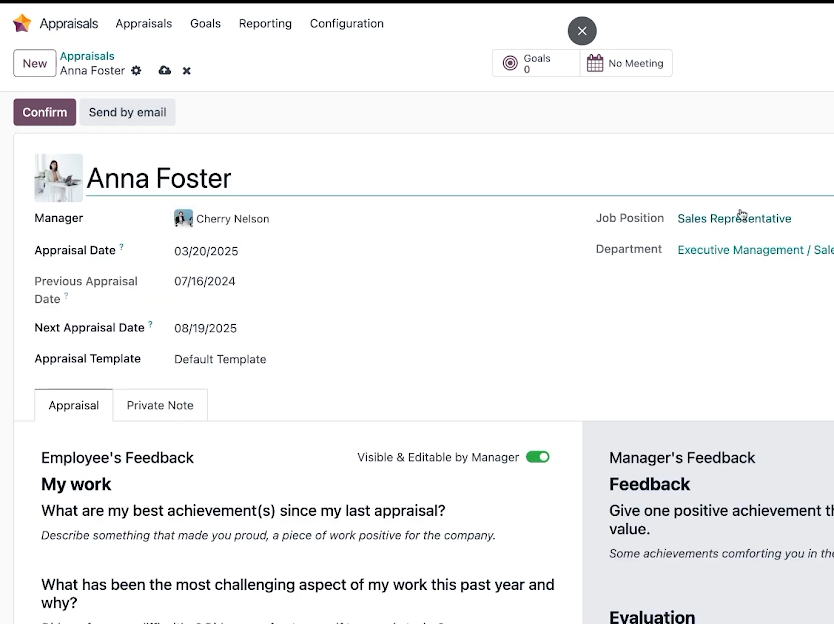
In the screenshot, look for the employee and their manager, the feedback section and the goals with their deadlines.
How to set it up. Start with one template for the whole company and a rhythm you can keep. Add department templates once the first round has run.
Good to know. Appraisals is an Odoo Enterprise app, so check your edition first.
Discuss: one place to ask questions and talk as a team
The problem you may recognise. A question about leave policy goes to one person’s inbox. Only that person sees the answer, so the next employee asks the same thing again. In remote or multi-site teams, a question that is hard to ask often goes unasked.
What Odoo does. Discuss is Odoo’s built-in chat:
- Channels for topics or departments, plus private channels for smaller groups.
- Direct messages that you can turn into a group chat.
- Video chats with two or more people, with screen sharing.
- Voice messages for quick answers.
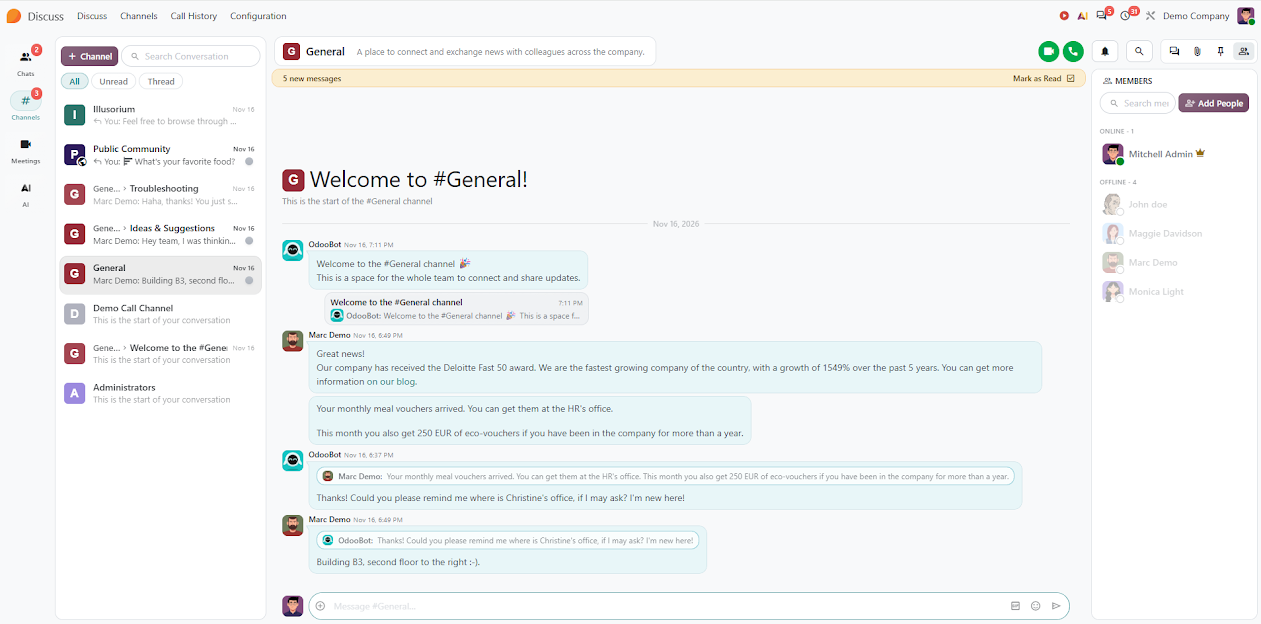
In the screenshot, look for the list of channels and direct messages, and an open conversation.
How to set it up. A practical start is one company-wide channel for announcements and one channel per department. Routine questions stay out of personal inboxes, and answers stay visible for the next person who asks. This is a suggestion, not a built-in rule.
eLearning: let people learn at their own pace
The problem you may recognise. Training is a one-off session or a PDF nobody opens again. New joiners ask the same questions, and people who want to learn have no obvious place to start.
What Odoo does. In the eLearning app you build courses for your own team:
- Courses are made of sections, and you can mix articles, documents, videos, images and quizzes.
- A course can be set as Training, taken in a set order, or as Documentation, available in any order.
- Certifications run through the Surveys app.
- You can grant karma points when someone finishes a course, as a simple reward.
In the screenshot, look for the course sections and the content inside them.
How to set it up. For internal training, check the course settings. Visibility can be limited to signed-in users or course attendees, and enrolment can be by invitation, so a staff course does not become public by accident. Good first courses are onboarding for new hires, process training and product knowledge.
Skills: show people where they are growing
The problem you may recognise. Managers do not know who can do what, and development conversations stay vague: “you should learn more.” Employees cannot see what growing here would look like.
What Odoo does.
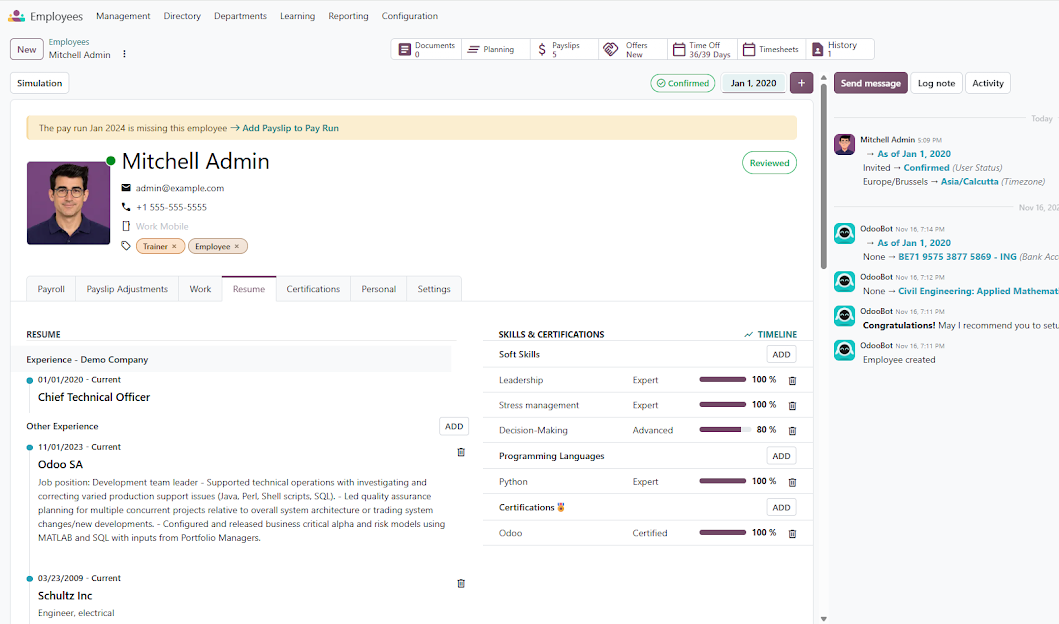
- Each employee profile records skills and skill levels.
- During an appraisal, employees can add or update their skills.
- The skills evaluation report shows whether skills improved, declined or stayed the same. Both of these appraisal features need the Appraisals app.
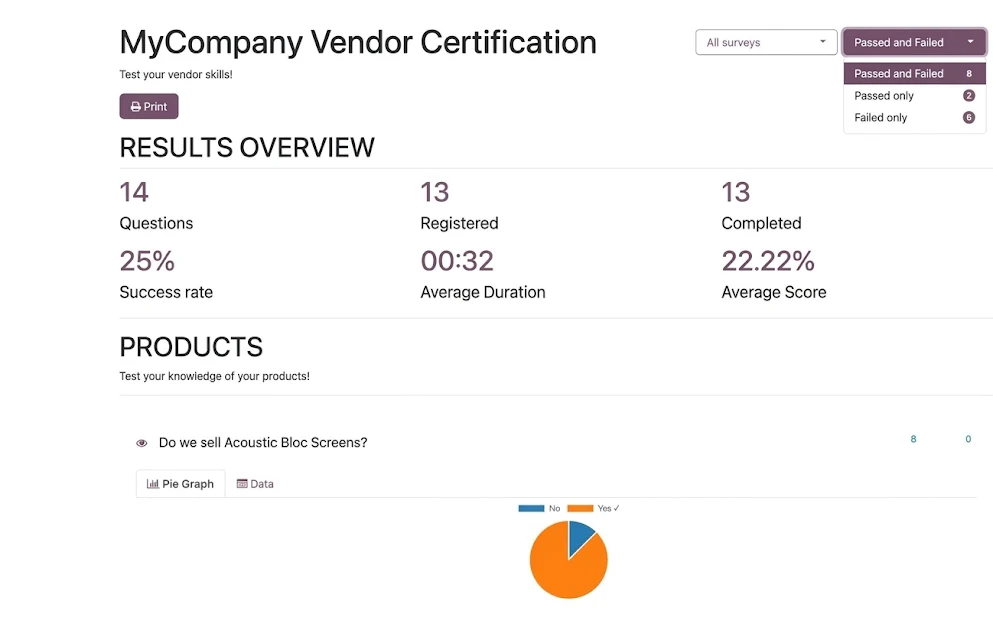
In the screenshot, look for the skills listed with their levels.
How to set it up. Record skills and levels for one team first. Then link them to learning: when an appraisal shows a gap, use the follow-up activity to point the employee to a relevant eLearning course. You set up this link yourself; Odoo does not do it automatically.
How to roll it out so people actually use it
A new system can lower engagement if it arrives as an announcement. Four steps help:
- Ask first. Before you configure anything, ask employees which parts of today’s process frustrate them: slow leave approvals, late reimbursements, unclear reviews. Build the first version around those answers.
- Start with the basics. Begin with leave and attendance, and add Appraisals once people trust the system.
- Train inside the system. Use eLearning for the how-to courses on the new tools, so the first course an employee takes is also a demonstration.
- Agree the rhythm. Decide how often appraisals and check-ins happen, and who looks after each channel, before launch.
Some companies configure all of this themselves. Others bring in a partner to match templates, channels and course settings to how they already work. If you want that help, see ourOdoo implementation services, or read how tochoose the right Odoo partner.
How will you know it is working?
Standard Odoo apps do not produce a single engagement score, so track simple indicators before and after launch:
- Appraisals completed on schedule
- How long leave and expense requests wait for approval
- Courses completed
- Response rate to a short survey from the Surveys app
Write down the starting figures before launch and check them again after three months.
At a glance: what people need, the Odoo tool and your first step
What people need | Odoo tool | Your first step |
Honest two-way feedback | Appraisals (Enterprise) | Pick one template and a rhythm |
Quick answers | Discuss | One company channel plus one per department |
A way to learn | eLearning | Build an onboarding course and set visibility and enrolment |
Visible growth | Skills | Record skills and levels for one team |
Correct pay, leave and expenses | HR modules | Covered in the guide linked at the top |
In short
- People stay when they are treated fairly, hear how they are doing, can grow and get quick answers.
- Appraisals gives two-way feedback, goals and optional 360 feedback in one record.
- Discuss and eLearning cover communication and training in the same system as your HR data.
- Skills recorded on the profile and reviewed in appraisals make growth conversations specific.
- Roll out in stages, ask employees first, and compare simple indicators before and after launch.
Questions readers ask
Can Odoo tell me how engaged my employees are?
Not as a single score. Use the indicators above (appraisals completed, request approval times, courses completed) and a short survey from the Surveys app, and compare them before and after launch.
Do I need Odoo Enterprise?
Appraisals is an Enterprise app. Check your edition for the other apps before you plan the rollout.
Where should I start?
With the problem your employees mention most. For most teams that means leave and attendance first, then Appraisals once people trust the system.
Can I keep training courses private to my employees?
Yes. Course visibility can be limited to signed-in users or course attendees, and enrolment can be set to invitation only.
Not sure where to start?
Tell us what your team struggles with today, and we will show you how Odoo handles it in a free demo. Email info@erpconsulting24.com. About ERP Consulting Group: we implement and customise Odoo for businesses, including HR, manufacturing and renewable energy. |
 Recent Posts



 Free Consultation