In many companies, HR runs on four tools at once: a spreadsheet for leave, email for hiring, a separate payroll file and paper records for everything else. Each tool works alone. Nothing connects them, so every handover is a manual step where errors enter.
Odoo human resource management puts these jobs in one system. Hiring, employee records, time off, attendance, payroll and expenses share one employee database, so a leave approved in Time Off or hours logged in Attendances can carry into payroll without re-entry. This guide walks through each part of Odoo HR, shows what it looks like in the system, and covers the custom HR modules that ERP Consulting Group has built on top of it.
What is Odoo HR?
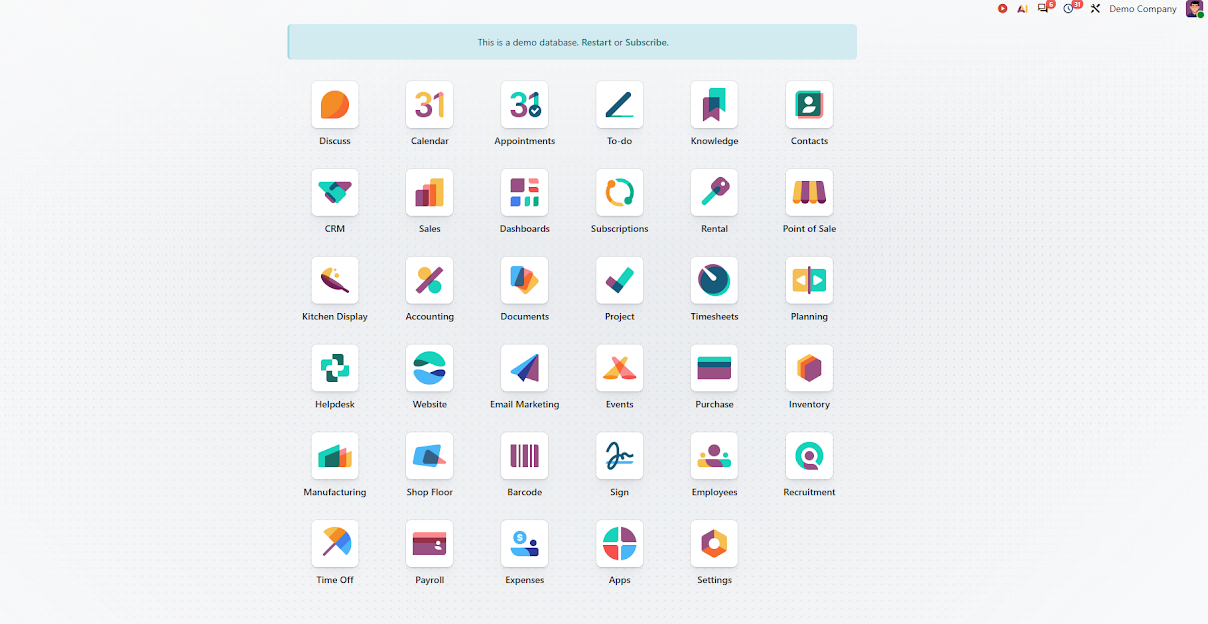
Odoo HR is the set of human resources apps inside Odoo. You install only the apps you need, and each one reads from the same employee record. The main apps are Employees, Recruitment, Time Off, Attendances, Payroll, Expenses, Timesheets and Appraisals. Payroll and Appraisals are Odoo Enterprise apps; the rest are available in Community as well.
If your goal is engagement and retention rather than HR administration, read our separate guide on Odoo HRMS and employee engagement. This page covers the administration side.
Employee records: one profile that every HR app reads
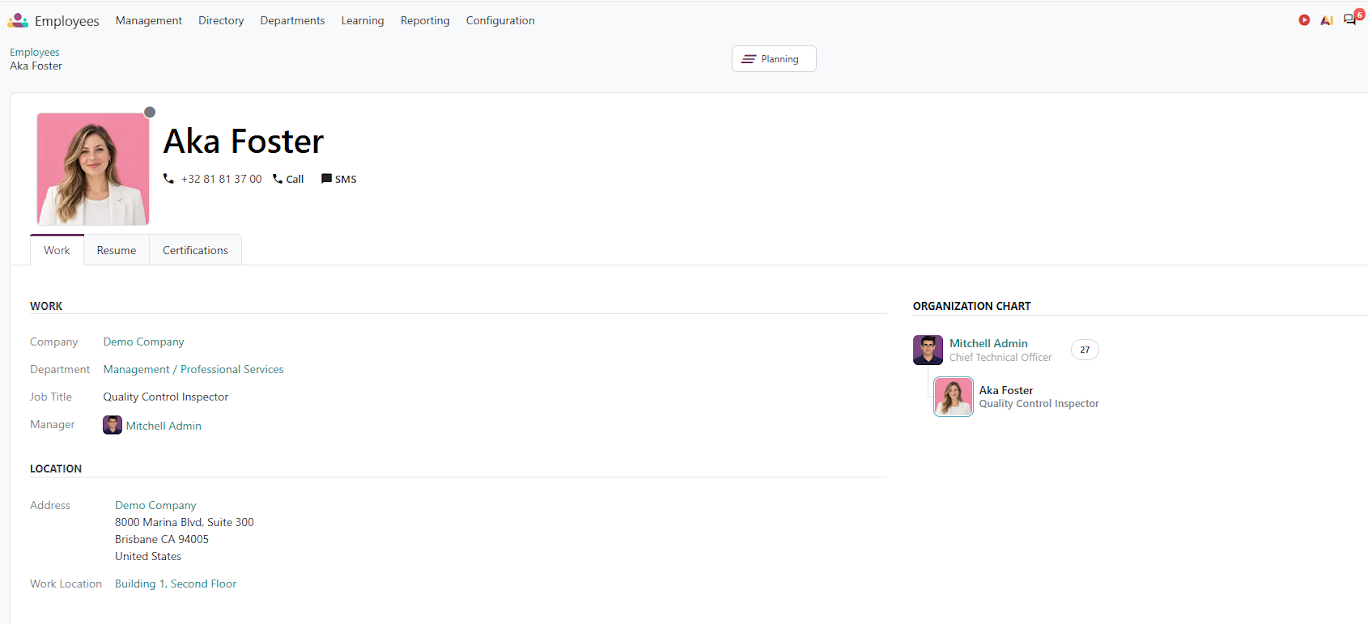
The Employees app holds the profile for each person: job position, department, manager, work contact details, resume and contract. Because Recruitment, Time Off, Attendances and Payroll read from this profile, a change in one place (a new manager, a new work location) is a change everywhere. HR stops reconciling separate files.
Recruitment: from job opening to hire in one pipeline
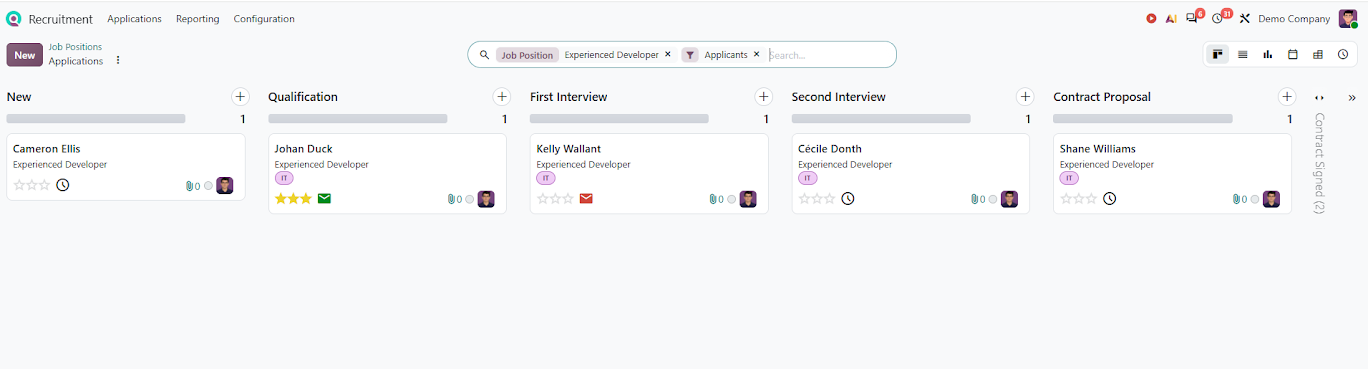
In the Recruitment app, each job position has its own pipeline. Applications arrive as cards, and HR moves them through stages such as New, Initial Qualification, First Interview and Hired. Notes and activities stay on the card, so nobody searches an inbox to find where a candidate stands. Open jobs can also be published on the company website.
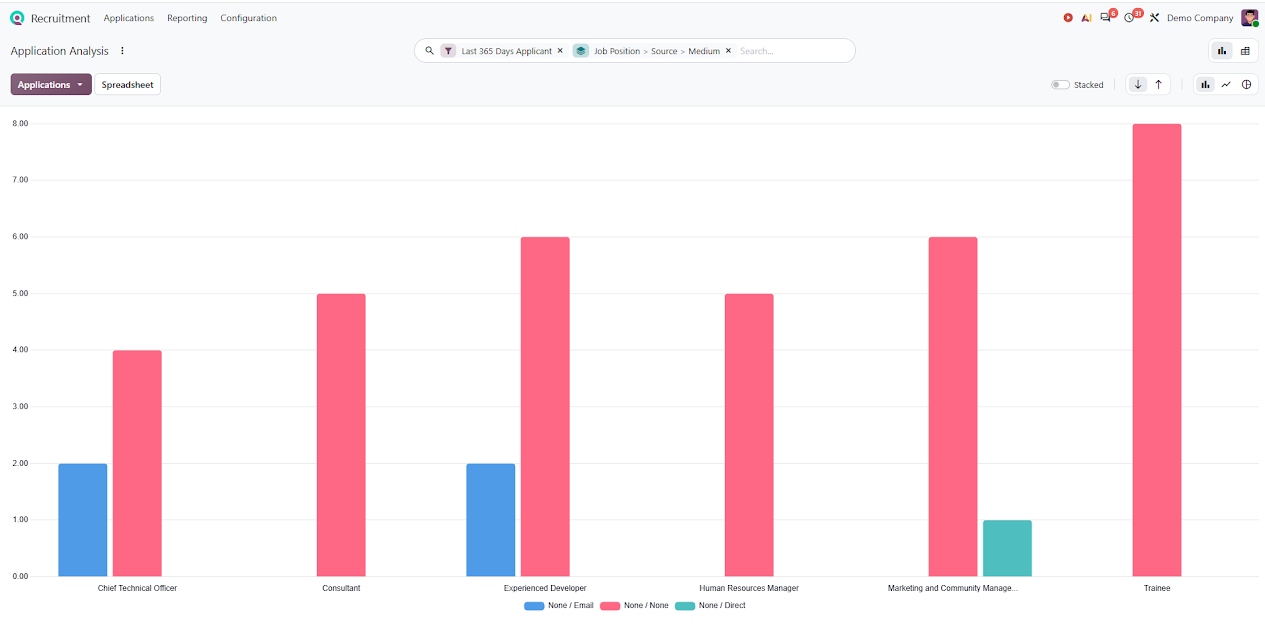
The recruitment report shows applicants by job position and source, which tells HR where its candidates come from before it decides where to advertise.
Recruitment Request module (ERP Consulting Group). The standard app starts when a job is open. Our Recruitment Request module starts earlier: a hiring manager raises a request through a portal, HR reviews and approves it, and the approved request becomes a job listing. Request status is visible to both sides in real time, so approvals stop living in email threads.
Time off and attendance: requests, approvals and hours in one place
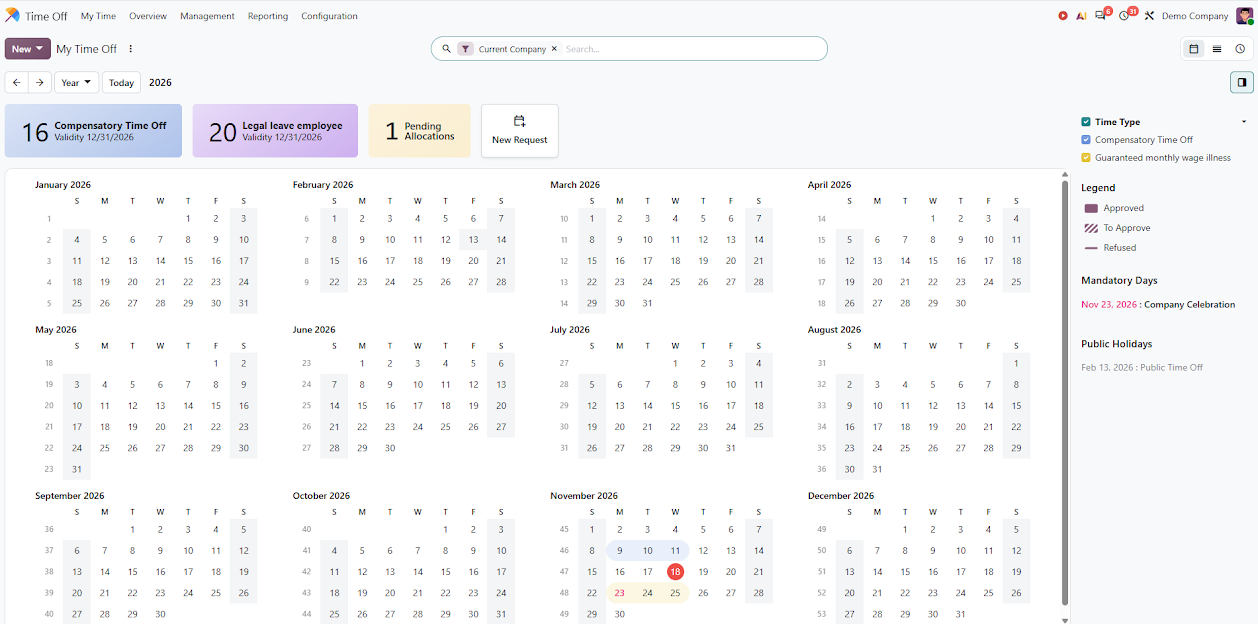
Employees request leave in Time Off and see their balance by leave type. The manager approves from a list or the shared calendar, and approved leave shows up for the whole team. Rules (accrual, maximum balance, approval needed) are set per leave type, so HR does not apply them by hand.
In Attendances, employees check in and out from the app, a kiosk or a mobile device. Logged hours and approved time off become work entries that Payroll can use, so attendance errors are caught before payslips are calculated, not after.
Payroll: pay slips built from attendance and contracts
Payroll calculates each pay slip from the employee's contract, salary structure and work entries. Allowances, deductions and bonuses are salary rules, so they are applied the same way for everyone on the structure. Pay slips can be generated in batches and employees can view their own. The result is that payroll does not depend on someone retyping hours from a spreadsheet.
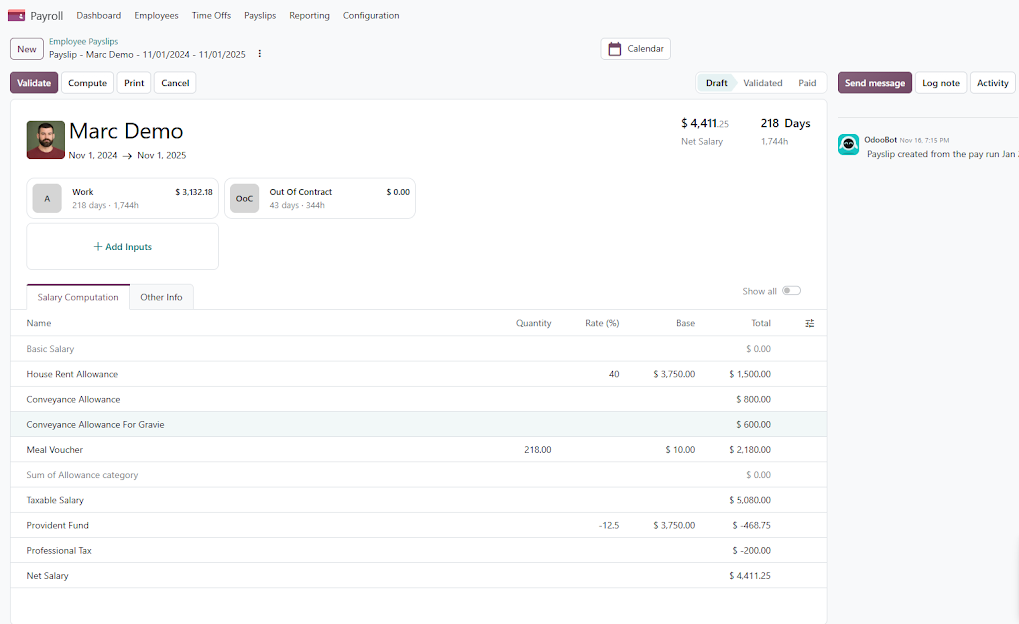
Payroll rules depend on the country, so the localization and salary rules must be configured to your jurisdiction before go-live.
Expenses and timesheets
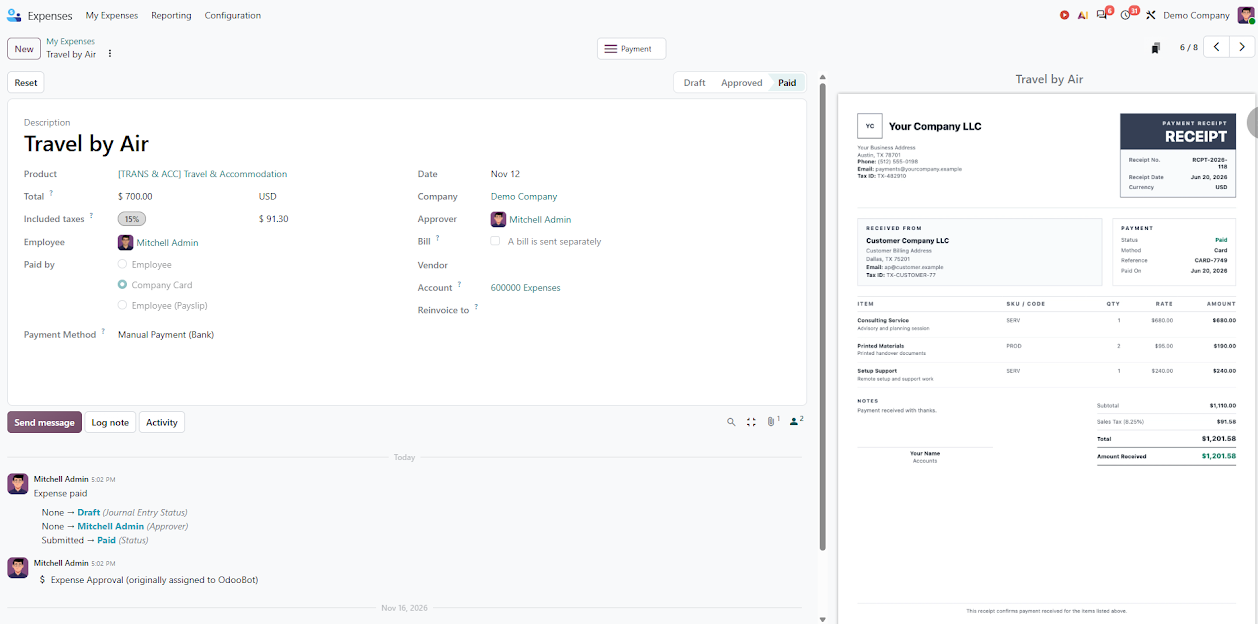
Employees on field visits photograph a receipt, add it to an expense report and track its approval status. The manager reviews it in the app and the approved amount goes to accounting for reimbursement. Timesheets work the same way for hours: employees log time against projects and tasks, so managers see progress and billable hours without chasing updates.
HR reporting from the same data
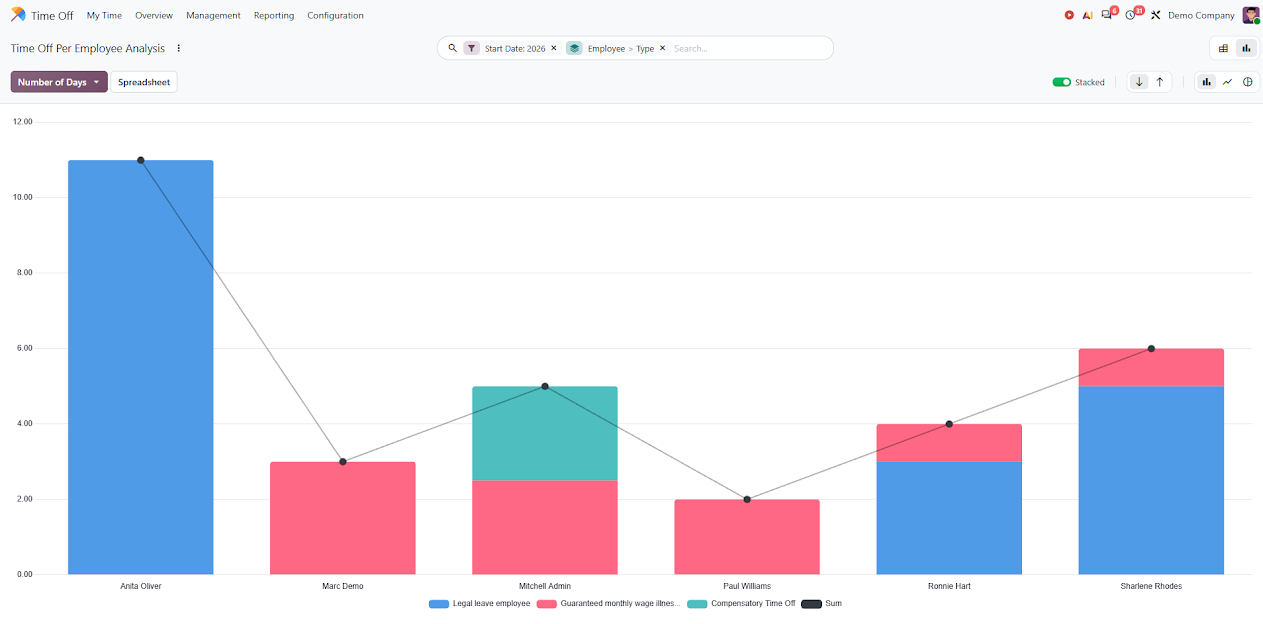
Each HR app has a Reporting menu with graph and pivot views that can be filtered and grouped. Time Off reporting shows absence by employee, department and leave type. Attendance reporting shows hours worked. Recruitment reporting shows applicants by source. Because the figures come from the same records HR works in, there is no separate export to build a report.
Custom HR modules by ERP Consulting Group
On top of the standard apps, ERP Consulting Group has built custom modules for two areas: tracking equipment given to employees, and running an orderly exit.
HR Employee Assets. The module keeps a record of every asset assigned to an employee: laptops, phones, tools, software licences. It supports maintenance scheduling and return requests, so HR can see who holds what and what must come back when someone leaves.
Resignation module. An employee submits a resignation through the self-service portal. It routes to the manager and HR for approval, then tracks the notice period and final clearance. It generates task lists for HR, IT and finance (asset return, final payroll, access removal) and collects exit-interview feedback, which gives HR a record of why people leave.
Employee self-service
Employees can request leave, submit expenses, view payslips and update their own details without raising a ticket with HR. Surveys let HR collect feedback on a regular schedule. The result is fewer routine requests reaching the HR team. For how these tools affect engagement and retention, see our guide to Odoo HRMS and employee engagement.
What manual HR work costs, and what Odoo changes
Odoo does not change these figures, and they are US-based benchmarks, so treat them as a reference point, not a forecast. What Odoo reduces is the manual work around them: hours re-keyed from spreadsheets, approvals lost in email, and corrections after payroll. The practical way to measure the gain is to record four numbers before go-live and again three months later: time to fill a role, hours per payroll run, payroll corrections per month, and HR requests handled by hand.
Traditional HR processes vs Odoo HR
Area | Traditional process | Odoo HR |
Recruitment | Job posts and applications spread across email and files | One pipeline per job, with status visible to HR |
Attendance | Punch cards or spreadsheets, re-keyed later | Check-ins logged in the app and passed to payroll |
Payroll | Manual calculation from separate sheets | Pay slips computed from contracts, attendance and time off |
Employee records | Paper files and separate tools | One employee profile read by every HR app |
Reporting | Built by hand from exports | Graph and pivot views on live data |
Employee requests | HR handles each request | Employees submit leave and expenses themselves |
Executive summary
- Odoo human resource management runs hiring, records, time off, attendance, payroll and expenses on one employee profile.
- Time off and attendance feed payroll as work entries, so hours are not re-keyed.
- Each app has built-in reporting on the data HR already works in.
- ERP Consulting Group's Recruitment Request, Employee Assets and Resignation modules extend the standard apps.
- Payroll and Appraisals need Odoo Enterprise, and payroll rules must be configured for your country.
Deep-dive FAQ
Which apps make up Odoo HR?
Employees, Recruitment, Time Off, Attendances, Payroll, Expenses, Timesheets and Appraisals. Payroll and Appraisals require Odoo Enterprise; check the edition before you plan a rollout.
Is Odoo HR only for large companies?
No. The apps are modular, so a smaller business can start with Employees and Time Off and add Recruitment, Attendances or Payroll later, on the same employee records.
Can Odoo HR connect with accounting and projects?
Yes. Approved expenses go to Accounting for reimbursement, and Timesheets log hours against Projects, so HR data does not have to be copied into other systems.
Can custom HR modules be added to Odoo?
Yes. ERP Consulting Group built the Recruitment Request, HR Employee Assets and Resignation modules for specific workflows. If your process does not fit the standard apps, we can scope a module for it.
Talk to us about Odoo HR
If you are deciding how to set up HR in Odoo, tell us which processes you run today and we will show you how they map to the apps above, in a free demo. Email info@erpconsulting24.com, or see our odoo hr solution About ERP Consulting Group: we implement and customize Odoo for businesses, including HR, manufacturing and renewable energy. Contact info@erpconsulting24.com. |

 Recent Posts



 Free Consultation